Colibri Studio – Configuration Software for Colibri Drive Systems
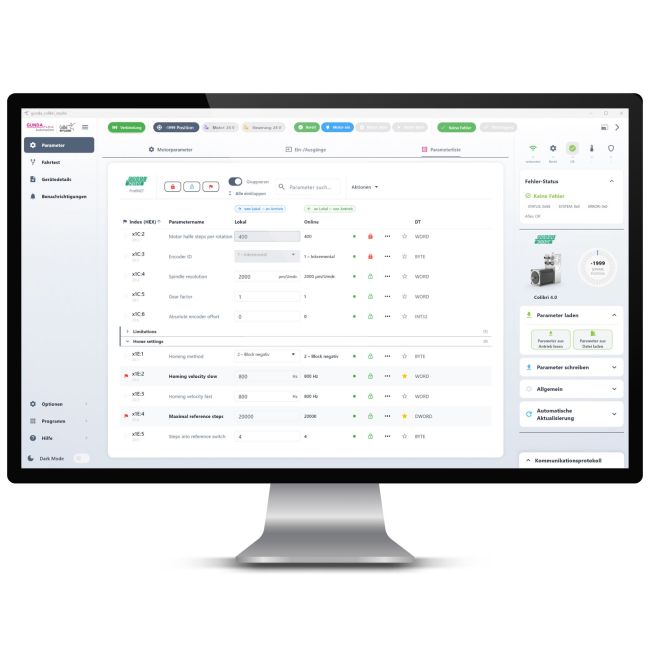
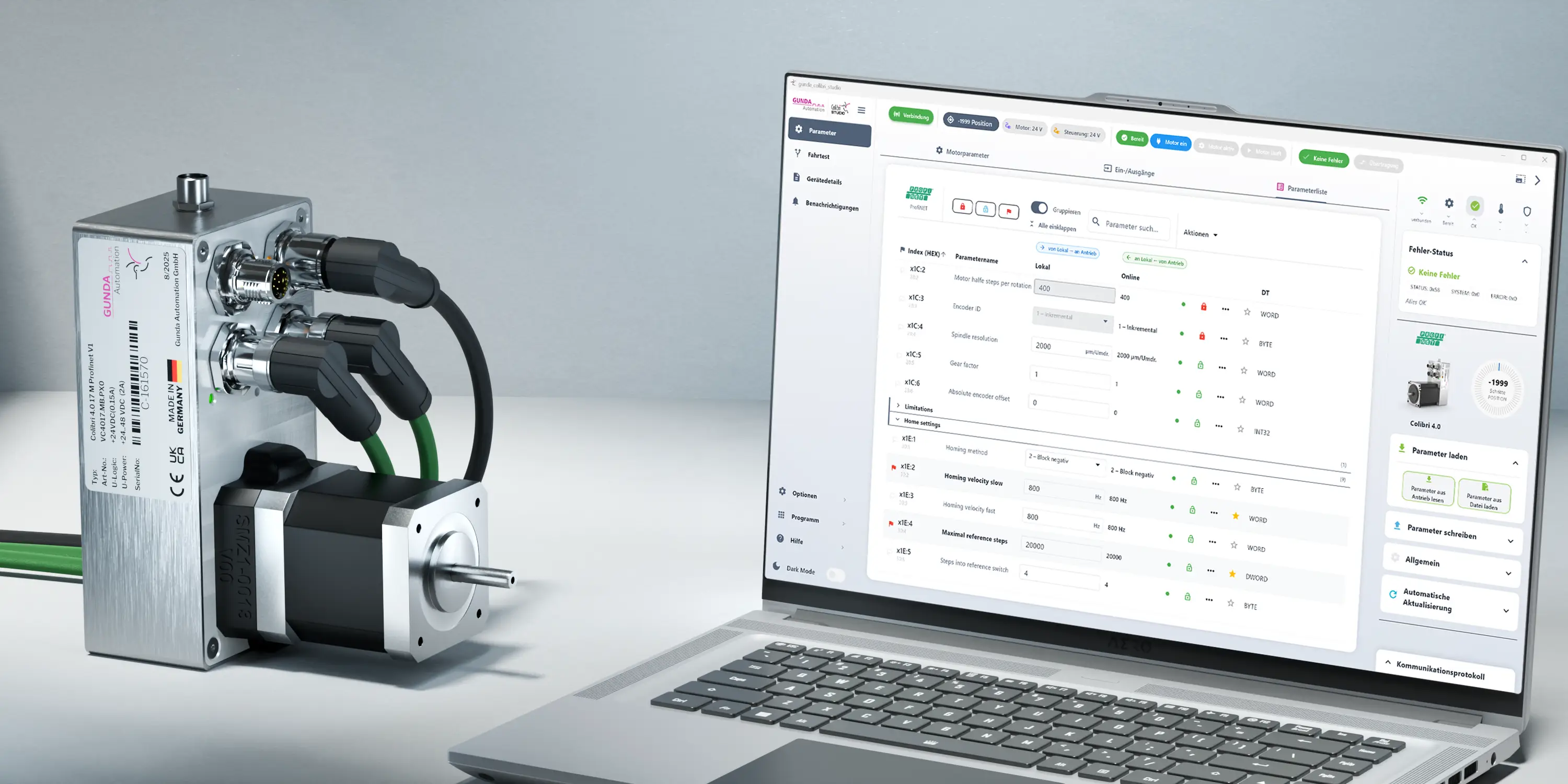
Gunda Colibri Studio is the latest, completely redesigned version of the Colibri configuration software. This modern and easy-to-use application is designed to configure, diagnose, parameterize, and test Colibri drive systems via Ethernet or a USB/COM interface.




Colibri Studio is the latest, completely redesigned version of the Colibri configuration software. It replaces the previous Colibri 4.0 configuration software and has been significantly enhanced in terms of usability, user interface, clarity, and feature set.
The software offers a modern, intuitive user interface and makes the configuration, diagnostics, and commissioning of Colibri drive systems easier, faster, and more straightforward. Parameters, test runs, device status, communication, and saved configurations are all consolidated in a single application.
With Gunda Colibri Studio, Colibri motor controllers can be conveniently read, configured, tested, and monitored. The software supports connections via Ethernet/IP as well as via USB/COM interfaces and displays key motor statuses in real time.
Thanks to its clear structure, easy-to-understand status displays, and guided operating procedures, the software is suitable for both experienced professionals and users who want to commission Colibri drive systems quickly and reliably.
Key Features
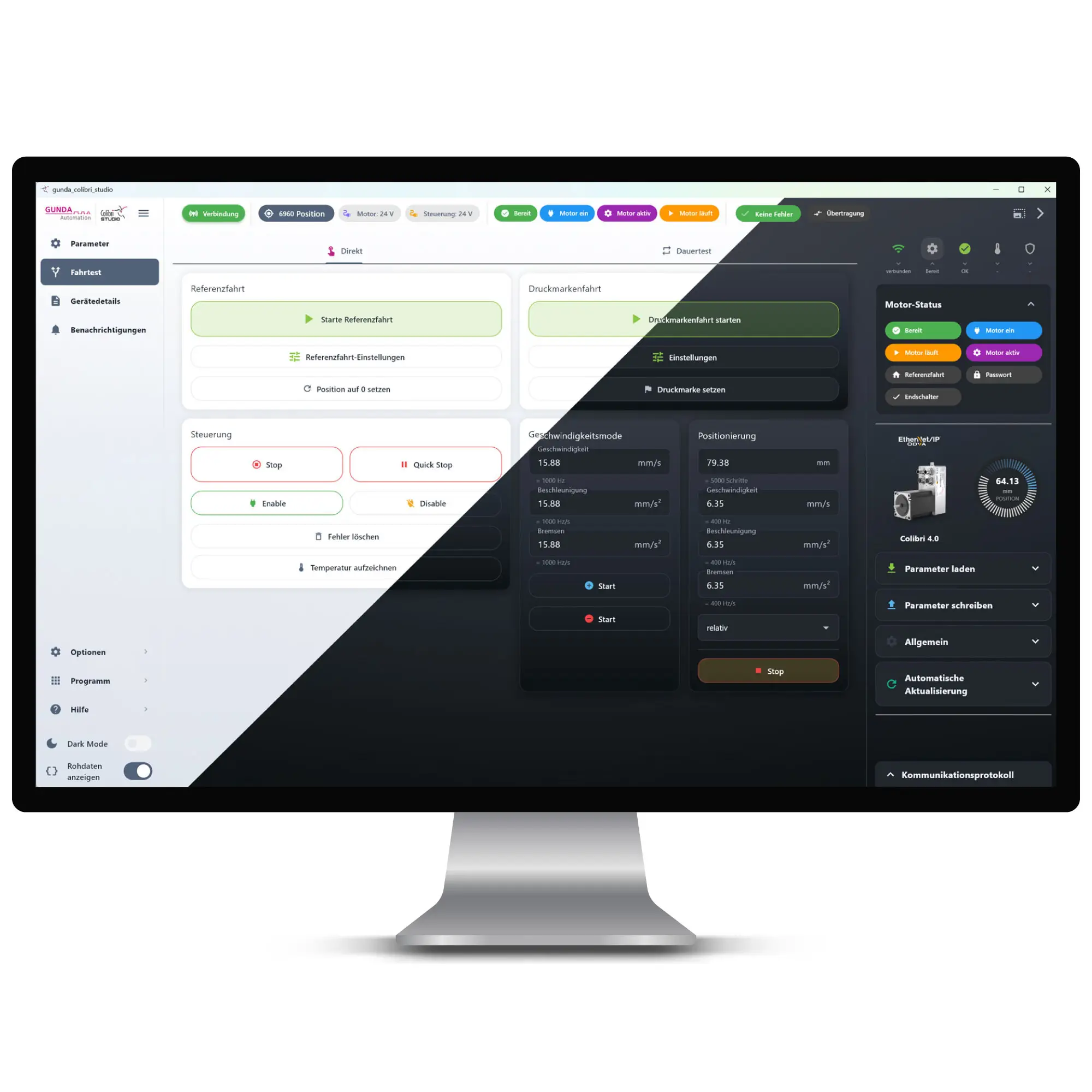
After connecting, Colibri Studio automatically reads the available parameters of the connected device. Settings can be quickly found and edited using filters, search, and grouping. Changes can be transferred directly to the motor and then permanently saved to the device.
Various driving functions are available for practical commissioning. These include, among others, reference runs, manual driving, absolute and relative positioning, profile runs, endurance tests, and marking runs. The software supports the user with clear status messages and blocks commands as long as the drive is not ready.
The current motor status is displayed in real time. This includes, among other things, connection status, readiness, motor active, error status, data transmission, and—if supported by the device—the current temperature of the drive.
The integrated communication protocol displays the raw data traffic between the software and the motor controller. This makes it easier to troubleshoot connection issues, parameter errors, or feedback from the device.
Device profiles define the structure and mapping of a motor type’s parameters. In addition, complete parameter sets can be saved, loaded, and deleted as stored configurations. This makes it easy to manage different use cases or device states.
The integrated device search helps locate motor controllers on the network. Found devices can be displayed, identified, and selected directly for connection. For advanced network functions, a suitable packet capture driver such as Npcap or Win10Pcap is required.
A compatible Colibri drive system is required for use. Depending on the connection type, Ethernet access or a serial USB/COM connection is required. Advanced network detection may require additional drivers such as Npcap or Win10Pcap.
| Delivery time | 1 day |
|---|


 DE
DE
 IT
IT